
How Can We Help?
Search for answers or browse our knowledge base.
 Single PDF
 Bulk PDF
 Section
To view and analyze incidents generated by the AIOps engine, click an Incident ID from the Incident Details page.
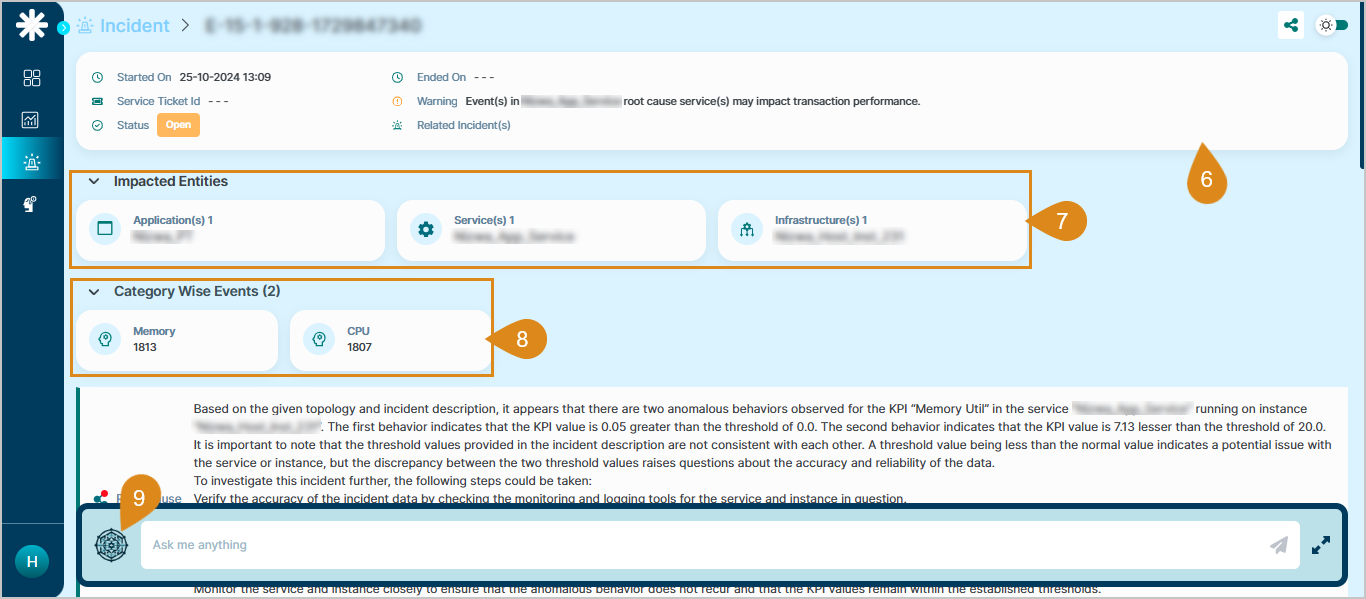
In the Incident Detail page:
The header section displays the details below:
- Started On (incident started details)
- Ended On (incident end details)
- Status of incident
- Type of incident
- Service Ticket ID
- Warning details
- Related Incident’s details (if any).
- The impacted entities like application, services etc.
- The total count of events is separated at category level.
Click the RCA Assist icon to open or minimize the chatbot panel.
